NEW PLATFORM DEVELOPMENTS – JANUARY 2020
At Transact, we continually enhance our platform to make the management of client portfolios and complex investment strategies as easy and efficient as possible. Our latest set of improvements continue to do just this.
Click on the links below to read full details on each of our latest platform enhancements that will benefit a huge number of users:
1. New ‘Investment Search’ tool helping you to find the investments you need faster
2. Creating sub-wrappers and transferring assets now possible via Transact Online
3. New ‘partial crystallisation’ option now available on Personalised Illustration (PI) tool
_______________________________________________________________________________________________________________________________________________________
1. New ‘Investment Search’ tool helping you to find the investments you need faster
With access to the widest range of over 13,000 investments, you can now find assets faster and more easily with our new Investment Search tool on Transact Online. Log in and go to: Information > Investments and Assets > Investment Search.
With this tool, you can:
a. Search by asset types below as shown on TOL:
- Unit Trusts and OEICs
- Shares, Bonds and Gilts
- Investment Trusts
- ETFs
- Structured Products
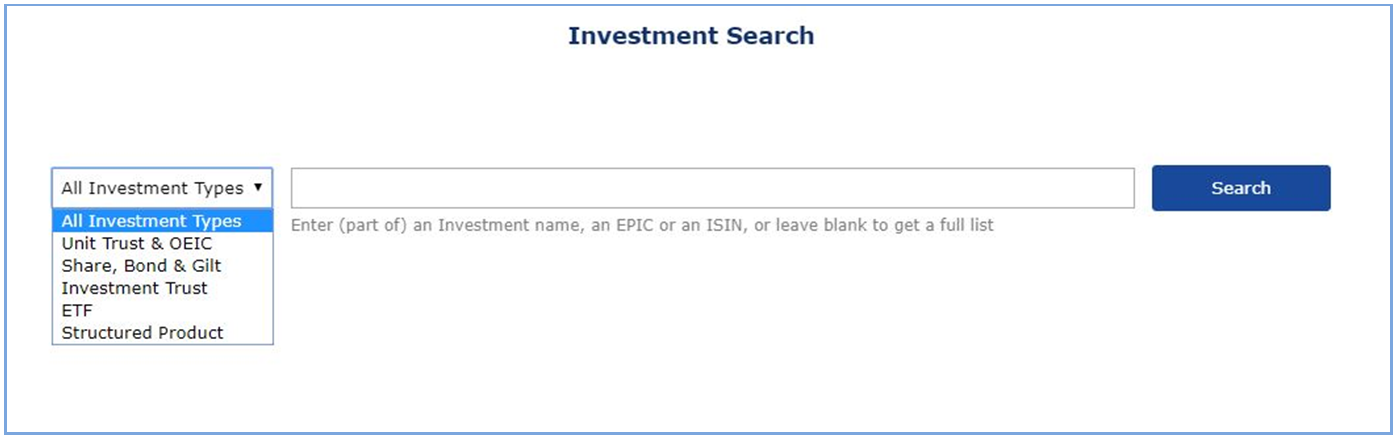
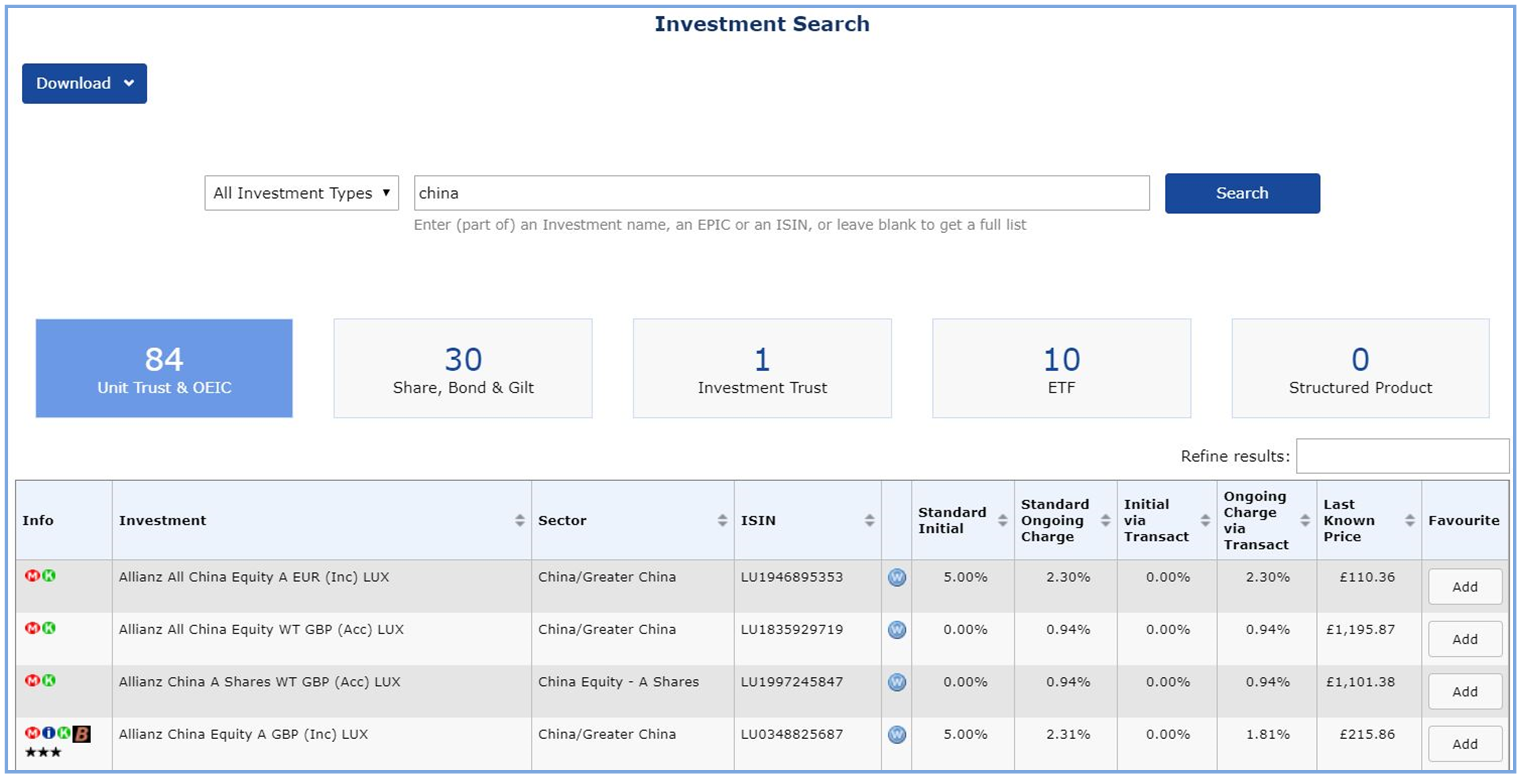
b. Search using specific terms – e.g. ‘China’
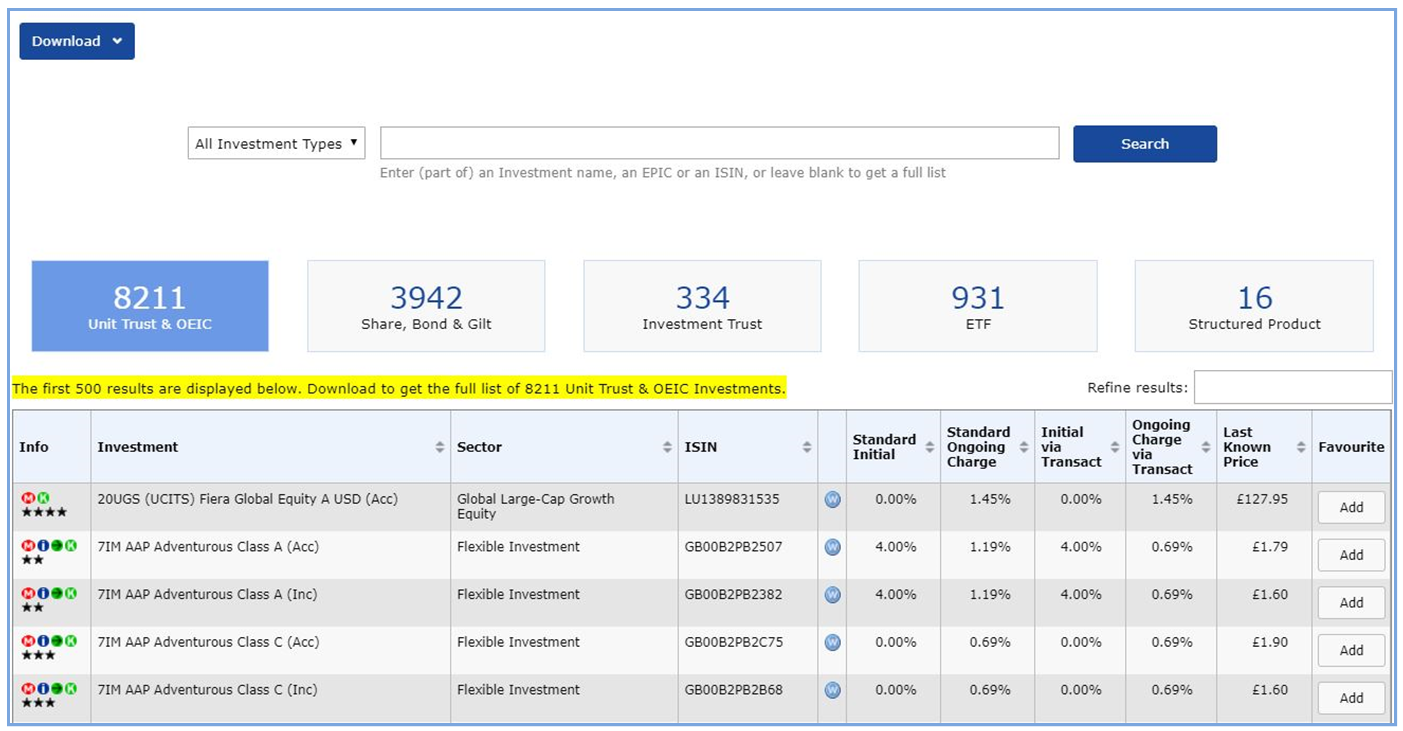
c. Run an empty search – To show a full listing for some or all searchable investment types available on Transact.
As usual, if an asset is not currently displayed within Investment Search on Transact, it is more than likely because it has not been requested before. Please contact us for more details about getting a new fund or asset listed.
Term deposits and VCTs continue to be shown separately:
- VCT providers that are available for primary trading can be viewed here
- Term Deposits on Transact can be viewed on TOL – go to: Information > Investments and Assets > Term Deposits
2. Creating sub-wrappers and transferring assets now possible via Transact Online
While you have always been able to split wrappers and name them, you can now do the same on the Transact platform yourself in just a few easy steps. In addition, you can now transfer cash and assets between sub-wrappers, giving you complete control.
Why use sub-wrappers?
You can use sub-wrappers as a convenient way to segregate investments into separate ‘pots’ or ‘sub-wrappers’ within a single wrapper. Sub-wrappers can be labelled to align to specific goals e.g. “University fees”, “Income in retirement”, “Holiday”, etc.
What are the benefits to you and your clients?
Clearer segregation of assets
You can make future planning easier and more transparent by segregating investments into distinct pots and giving the sub-wrappers their own name. This makes it easier to see how any sub-wrapper is performing versus its benchmark at a glance. You can use it to segregate assets according to investment strategies for specific life events, such as saving for a house deposit or saving for a client’s individual grandchildren.
Supports the management of multiple investment strategies
Sub-wrappers provide the flexibility to accommodate several investment approaches for your clients in one wrapper. Here are some of the key applications of sub-wrappers with Transact:
- Outsourced investment management – You can add discretionary investment managers (DIMs) at sub-wrapper level, providing secure, segregated access to multiple DIMs within the one wrapper. Similarly, Templates or Model Portfolios can be set at sub-wrapper level.
- Ring-fencing assets – Sub-wrappers are ideal to hold assets if you wish to ring-fence or segregate them for a specific purpose, such as excluding them from a future rebalance. For example, clients with “treasured assets” may wish to manage them separately to all other investments. You can also use sub-wrappers to manage Capital Gains Tax implications.
- Self-management – Where your client wishes to manage a portion of their portfolio, a sub-wrapper can facilitate this without impacting the rest of your investment strategy.
- Fee planning – Sub-wrappers can be assigned as a ‘fee-payment wrapper’ for some or all wrappers/sub-wrappers to avoid the holding of fee-payment cash which can impact on the wider investment strategy.
- Management of client income – Where a client wishes to take income from their portfolio, a sub-wrapper can be used to hold cash pending withdrawal. This ensures cash is protected and available as needed.
- Time horizons – Sub-wrappers can be created within a portfolio or wrapper to manage multiple investment strategies based on the period of time one expects to hold an investment. For example, short-term saving for a house deposit versus longer-term retirement planning.
More flexibility – Sub-wrappers can be created within the majority of Transact wrappers including: General Investment Account, ISA, LISA and JISA, Onshore and Offshore Bonds and pension wrappers in accrual. Pensions in drawdown cannot currently be split. DIMs and templates can also be set at wrapper and sub-wrapper level.
Comprehensive reporting capabilities – Wrapper reports, such as our Portfolio Valuation report, can be run either at portfolio, wrapper or sub-wrapper level, providing as much, or as little, detail as needed for each client.
Saves you time – The new online process takes just a few simple steps to set up. Once created, funds and assets can be transferred seamlessly into the new sub-wrapper, as necessary, without the need to clarify the instructions with Transact staff. The end-to-end process can all be done via Transact Online, by you or your client.
To open sub-wrappers and give them names go to: Housekeeping > Investor Options > Open Sub-Wrapper.
To transfer assets between sub-wrappers go to: Transactions > One-Off > Cash & Investment Transfer.
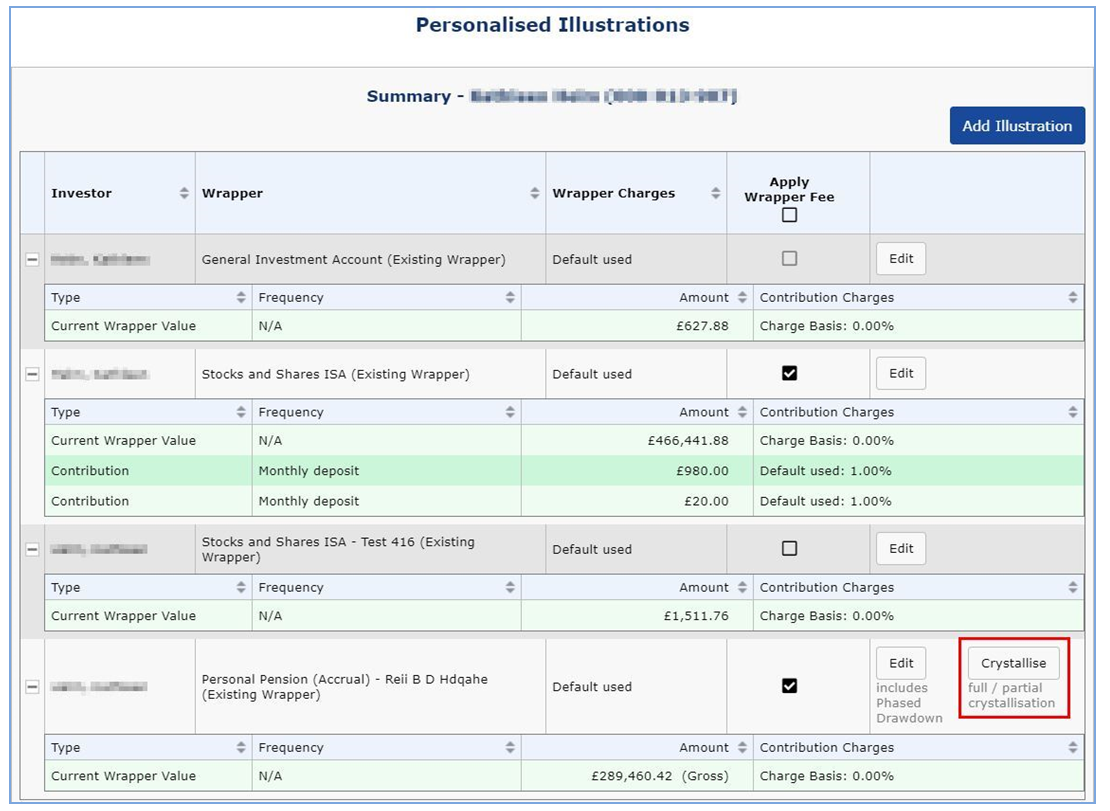
3. New ‘partial crystallisation’ option now available on Personalised Illustration (PI) tool
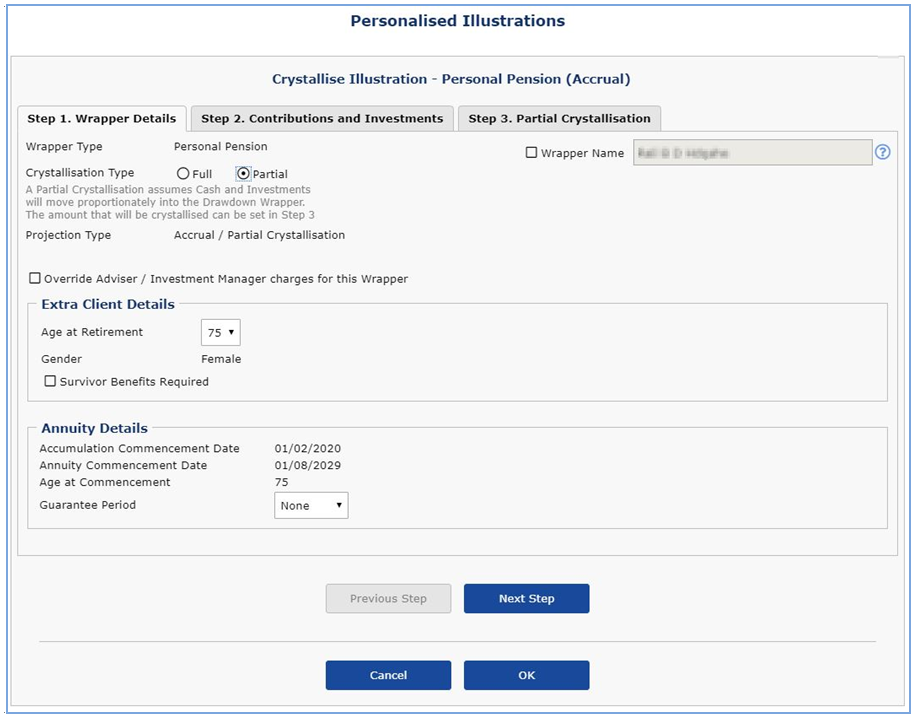
Giving you even more freedom to do what you need online, we have developed our Personalised Illustration tool so you can now create illustrations for partial pension crystallisation for your clients. Go to: Tools > Personalised Illustrations.
Find out more
For more information on any of these platform enhancements, or if you would like a demo of these features in action, please get in touch using the button below, simply select to meet with your ASM account manager.
Contact Us